
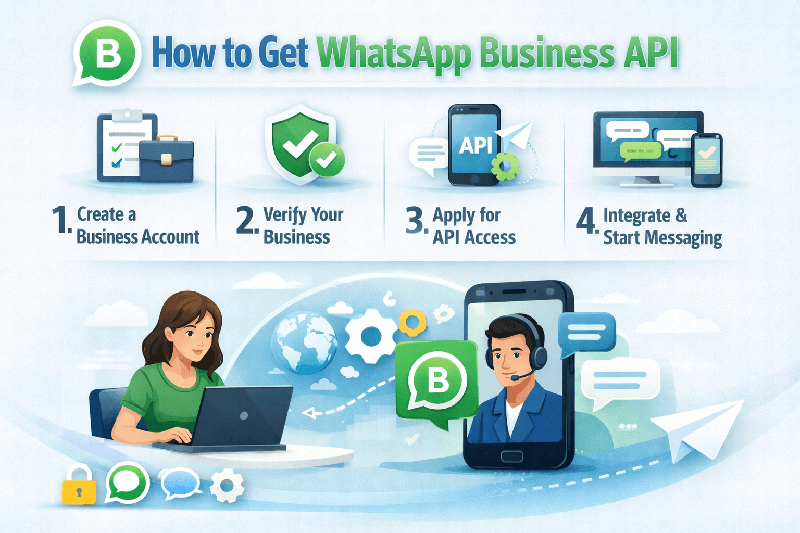
How to Get WhatsApp Business API: A Complete Guide for Businesses
WhatsApp is no longer just a personal messaging app. For businesses, it has become a powerful channel to send updates, provide support, and automate customer communication. However, to use WhatsApp at scale, companies must apply for the official WhatsApp Business API.
If you are searching for how to get WhatsApp Business API, this guide explains the full process in simple terms—who can apply, what is required, and how businesses typically gain access without violating WhatsApp policies.
What Is WhatsApp Business API?
WhatsApp Business API is designed for medium and large businesses that need structured, secure, and automated messaging. Unlike the WhatsApp Business App, which is meant for small teams, the API allows businesses to:
- Send notifications and alerts at scale
- Automate conversations using chatbots
- Integrate WhatsApp with CRM or ERP systems
- Manage multiple agents under one number
- Track message delivery and engagement
Because it is an API-based product, WhatsApp Business API cannot be installed like a normal app. Businesses must access it through an approved WhatsApp Business API solution.
Who Is Eligible for WhatsApp Business API?
Before applying, it is important to understand WhatsApp’s eligibility criteria. A business must have:
- A legally registered company
- A functional and informative website
- A verified Facebook Business Manager account
- A clear use case for messaging customers
- A phone number not connected to WhatsApp
WhatsApp manually reviews every application, so transparency and compliance are essential.
How to Get WhatsApp Business API Step by Step
1. Choose a WhatsApp Business API Platform
WhatsApp does not usually grant direct API access. Instead, businesses work with an official WhatsApp Business API platform that manages hosting, onboarding, and compliance.
Platforms such as Quickmessage help businesses apply for WhatsApp Business API while handling technical setup, message routing, and Meta approval requirements. This approach reduces complexity and approval delays.
2. Set Up Facebook Business Manager
A Facebook Business Manager account is mandatory. During setup, businesses need to:
- Add business details
- Verify the company using official documents
- Verify the website domain
This step proves that the business is legitimate and authorized to represent the brand on WhatsApp.
3. Submit Business Information for Review
Once connected to a WhatsApp Business API provider, businesses submit key details, including:
- Business name and description
- Website URL
- Industry category
- Intended messaging use cases
WhatsApp evaluates this information to ensure the business follows its messaging and commerce policies.
4. Configure a Dedicated Phone Number
WhatsApp Business API requires a phone number that:
- Is not linked to any existing WhatsApp account
- Can receive OTP verification
- Will be used exclusively for business messaging
This number becomes the official WhatsApp Business identity for your company.
5. Message Template Creation and Approval
Businesses can only initiate conversations using approved message templates. These templates are reviewed to prevent spam and misuse.
Templates typically include:
- Order confirmations
- Appointment reminders
- Account alerts
- Customer support notifications
Once templates are approved, businesses can start messaging customers who have opted in.
How Long Does It Take to Get WhatsApp Business API?
The approval timeline usually looks like this:
- Facebook Business verification: 1–3 working days
- WhatsApp account approval: 2–5 working days
- Template approval: a few hours to 24 hours
Using a structured WhatsApp Business API solution often speeds up the process by reducing errors during submission.
Common Challenges Businesses Face
- Incomplete or low-quality websites
- Unclear business descriptions
- Promotional or misleading templates
- Lack of proper customer opt-in
A reliable WhatsApp Business API platform helps businesses avoid these issues by guiding them through policy-compliant setup.
Do You Need Technical Expertise?
Not anymore.
Earlier, WhatsApp Business API required strong technical knowledge. Today, platforms like Quickmessage provide dashboards, no-code chatbot builders, and ready-to-use integrations, making it accessible for sales, support, and marketing teams without development effort.
Final Thoughts
Understanding how to get WhatsApp Business API is crucial for businesses that want reliable, scalable communication with customers. The process involves business verification, compliance with WhatsApp policies, and working with an approved WhatsApp Business API provider.
Instead of managing complex technical steps alone, many businesses choose platforms like Quickmessage to access WhatsApp Business API through a compliant and structured approach. This allows teams to focus on customer communication rather than infrastructure and approvals.
With the right preparation and a trusted WhatsApp Business API solution, businesses can unlock the full potential of WhatsApp as a professional communication channel.
FAQs
1. How can I get WhatsApp Business API for my business?
To get WhatsApp Business API, you need a registered business, a verified Facebook Business Manager account, and a phone number not linked to WhatsApp. Most businesses apply through an official WhatsApp Business API platform that handles setup, hosting, and approval according to Meta’s policies.
2. Can I apply for WhatsApp Business API directly from WhatsApp?
No, most businesses cannot apply directly. WhatsApp provides API access through approved WhatsApp Business API providers. These providers act as intermediaries and help businesses complete verification, phone number setup, and message template approval in a compliant way.
3. How long does WhatsApp Business API approval take?
The approval process usually takes between 3 to 7 working days. This includes Facebook Business verification, WhatsApp account review, and initial message template approval. Using a structured WhatsApp Business API solution can reduce delays caused by incomplete submissions.
4. Is WhatsApp Business API free?
WhatsApp Business API itself is not free. Meta charges businesses based on conversation categories such as utility, authentication, service, and marketing. In addition, a WhatsApp Business API platform may charge for onboarding or platform usage, depending on the features provided.
5. Do I need technical knowledge to use WhatsApp Business API?
No, technical knowledge is no longer mandatory. Many modern WhatsApp Business API platforms, including solutions like Quickmessage, offer dashboards, automation tools, and no-code chatbot builders that allow non-technical teams to manage WhatsApp communication easily.