Official WhatsApp Business API:
Complete Guide to Setup, Pricing & Features (2026)
Everything you need to know about pricing, setup, and features. Automate your sales funnel, get the verified Green Tick, and drive 5x more revenue with the official platform.
In today’s digital world, customers expect fast, personalized, and convenient communication. Traditional channels like email and SMS often fail to deliver instant engagement. This is where WhatsApp Business API comes in.
With over 2 billion active users globally, WhatsApp has become one of the most powerful communication platforms for businesses. WhatsApp Business API enables medium and large businesses to communicate with customers at scale, automate conversations, and integrate WhatsApp with their existing systems.
In this guide, we’ll explain how WhatsApp Business API works, its benefits, pricing, use cases, and the step-by-step process to get WhatsApp Business API for your business.
What is WhatsApp Business API?
WhatsApp Business API is a programmatic solution provided by Meta (Facebook) that allows businesses to send and receive WhatsApp messages through APIs instead of a mobile app. QuickMessage uses the official WhatsApp Business API by Meta to ensure your number is completely safe from bans and you get the highest delivery rates.
Unlike the WhatsApp Business App, the API does not have a user interface — it is designed for automation, integrations, and supports multiple users, chatbots, and CRMs.
WhatsApp Business
App vs API Platform
Both are official Meta products, but built for completely different scales. See why growing businesses eventually outgrow the free app.
| Features & Capabilities |
WhatsApp App
Free Version
|
WhatsApp API
Premium / Paid
|
|---|---|---|
| Best For | Solo founders & local shops | Scaling brands & enterprises |
| Multi-Agent Support | 1 Phone + 4 Linked Web Devices |
Unlimited Team Members
|
| Bulk Broadcasting | Strict limit: 256 contacts/day |
Unlimited (Tier-based scaling)
|
| Chatbots & Automation | Basic Away/Welcome messages |
Advanced AI Chatbots & Flows
|
| CRM & Website Integration | Not possible |
Full REST API & Webhooks
|
| Verified Green Tick | No |
Yes (Subject to Meta approval)
|
| Interactive Messages | Plain text & media only |
Buttons, Lists, Product Catalogs
|
If you need to send more than 100 messages/day, want your team to handle chats simultaneously, or require CRM integration — you must upgrade to the Official API.
Who Scales Faster With
QuickMessage?
Whether you are a fast-growing D2C brand, a large enterprise, or a customer-obsessed support team, our platform adapts to your workflow.
E-commerce & D2C
Automate cart recovery, send instant order tracking updates, verify COD orders, and drive repeat sales via WhatsApp marketing.
Marketing Agencies
Manage multiple client accounts efficiently, launch high-converting bulk broadcasts, and track campaign ROI in real-time.
Mid & Large Enterprises
Connect your existing CRM & ERP seamlessly to trigger automated alerts across your entire customer base with advanced webhooks.
FinTech & Banking
Deliver bank-grade secure OTPs, instant transaction alerts, loan payment reminders, and payment links with maximum deliverability.
Healthcare & EdTech
Automate appointment scheduling, deliver PDF lab reports, send student fee reminders, and share live class links instantly.
Support Teams
Deploy unlimited team members on a single Shared Inbox, route chats intelligently, and use smart chatbots for instant FAQ resolutions.
10 Ways We Help You
Drive 5X Revenue
Unlock premium features designed to automate your sales funnel, personalize communication, and save your team hundreds of hours.
Unlimited Bulk Broadcasts
Bypass the 256 daily limit. Scale to 100,000+ targeted promotional messages in a single click.
Shared Team Inbox
Collaborate & assign customer chats across unlimited agents on one unified number.
Advanced Flow Builders
Deploy intelligent, no-code chatbots to handle FAQs and qualification instantly.
Abandoned Cart Recovery
Automatically engage lost shoppers and boost e-commerce conversion rates by 30%.
Instant OTPs
Deliver authentication codes faster and significantly cheaper than traditional SMS.
Click-to-WhatsApp Ads
Route Facebook/Instagram ad traffic directly into automated conversation funnels.
Order & Delivery Alerts
Provide a premium experience by automating real-time tracking links and invoices.
API & Webhook Access
Developer-friendly REST APIs for seamless integration with your existing infrastructure.
White Label Domain
Agencies can operate the platform securely under their own custom brand name.
Advanced Analytics
Track real-time campaign ROI, message delivery rates, and agent performance.
Built For Lightning Speed
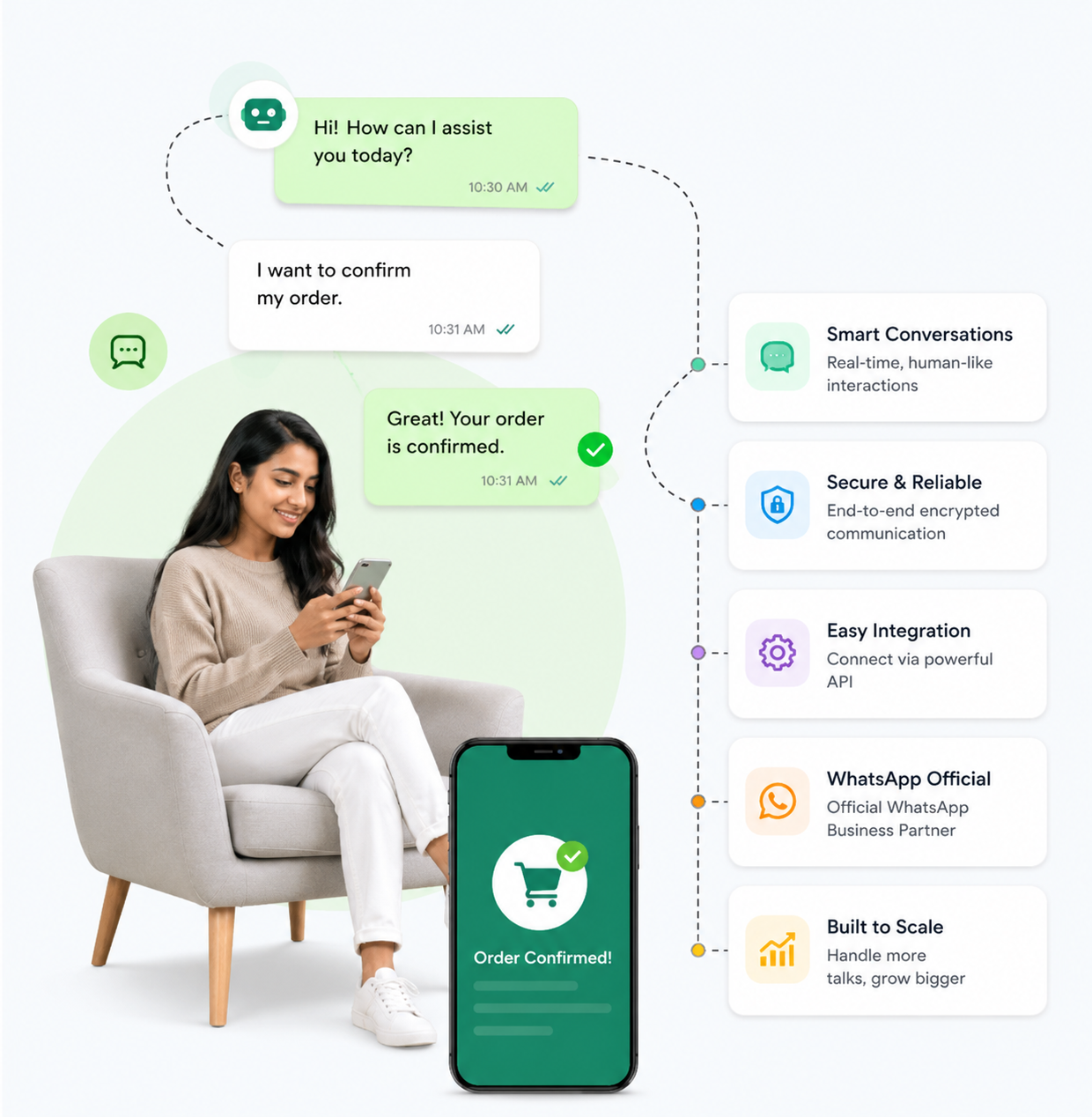
We bypass third-party bottlenecks. QuickMessage connects your business directly to the Official Meta Cloud Infrastructure, ensuring maximum uptime and total data security.
Launch Your Official API Today
We have streamlined the onboarding process so you can start sending bulk broadcasts and automating replies in record time.
📋 Pre-Launch Checklist
Create QuickMessage Account
InstantSign up in seconds to access our official Meta-partnered dashboard. Unlock your shared inbox instantly.
Link Facebook Business
Under 10 MinsUse our seamless Embedded Signup to securely connect your phone number and verify your identity.
Submit Message Templates
Fast ApprovalDraft your promotional broadcasts. Meta’s approval process is lightning-fast (minutes to hours).
Launch & Scale
ReadyDeploy your first bulk broadcast. Start at Tier 1 (1,000 users/day) and scale automatically up to unlimited messaging. How tiers work
Stop Overpaying for
WhatsApp Messages
We believe in 100% transparency. You pay Meta's official standard rates plus a clear, volume-based service markup. No hidden fees, no arbitrary price hikes.
Marketing
For promotional campaigns, custom offers, and business announcements.
Utility
For transaction updates, shipping alerts, and post-purchase follow-ups.
Authentication
For ultra-secure OTP delivery and account verification systems.
Curious about the exact costs?
Tell us your monthly message volume and we'll instantly generate a custom pricing sheet tailored for your scale.
You Deserve the Real Thing
Many cheap tools use unofficial (grey) WhatsApp access which risks your business number. We don't. Here's why the official API matters.
| Feature |
QuickMessage
Official Partner
|
Grey API Tools
Unofficial Access
|
|---|---|---|
| Meta Verification |
|
|
| Risk of Ban |
|
|
| Green Tick Eligible |
|
|
| Broadcast Limit |
|
|
| Interactive Messages |
|
|
| Support Quality |
|
|
Built API-First
Integrate QuickMessage with your existing systems in minutes. Our REST API and webhooks give you complete control over your scalable messaging infrastructure.
One Platform.
Infinite Capabilities.
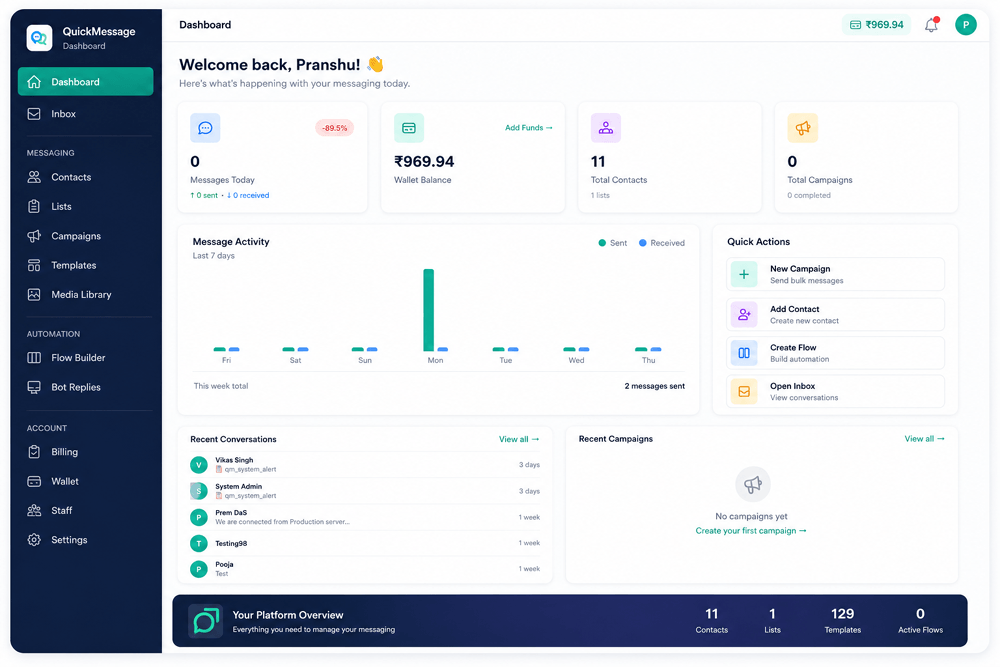
Replace your fragmented tool stack. QuickMessage integrates all messaging, automation, and account tools into a single, lightning-fast workspace.
- Dashboard
- Inbox
Messaging
- Contacts
- Lists
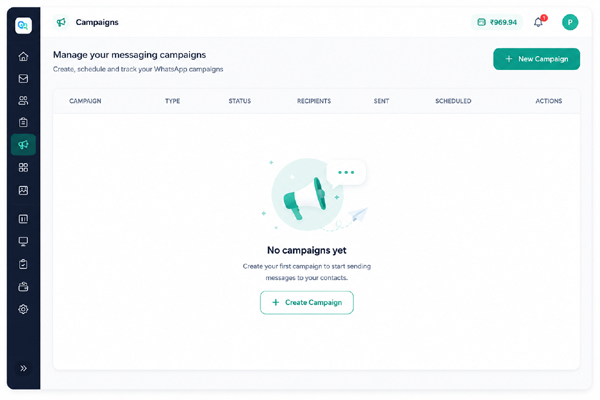
- Campaigns
- Templates
- Media Library
Automation
- Flow Builder
- Bot Replies
Account
- Billing
- Wallet
- Staff
- Settings
Frequently Asked Questions
Everything you need to know about scaling communication with QuickMessage.
What is the Official WhatsApp Business API?
What is the difference between the Official API and an unofficial (grey) WhatsApp API?
Can I integrate QuickMessage with my custom CRM?
How long does Official WhatsApp API approval take?
Can I migrate my existing WhatsApp number to QuickMessage?
What documents are required for Indian businesses?
- A verified Facebook Business Manager account
- A live business website with a privacy policy page
- A fresh phone number for API registration
- Company documents — GST certificate, MSME registration, or Certificate of Incorporation
Does QuickMessage support fallback channels like SMS and IVR?
Can I get a green tick (verified badge) for my brand?
Ready to 5X Your Revenue?
Stop paying for limits. QuickMessage provides the infrastructure used by top agencies and fast-growing brands. Get high delivery rates and zero ban risks today.