

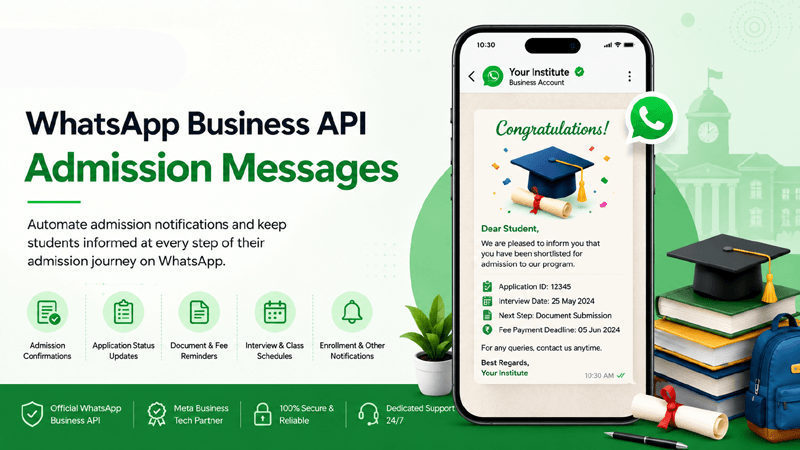
Accelerate enrollment cycles, automate application updates, and deliver real-time counseling support at scale using the Official WhatsApp Business API.
Quick Overview
What are WhatsApp Business API Admission Messages?
WhatsApp Business API Admission Messages refer to automated, structured communication pipelines utilized by educational institutions, universities, and coaching centers to manage prospective student journeys. By deploying the WhatsApp Business API through QuickMessage, institutions can automate application fee reminders, dispatch instant eligibility verifications, and distribute prospectus media assets effortlessly while maintaining compliance and data security.
Instant Lead Routing
Route student inquiries automatically into the Shared Team Inbox.
Document Verification
Collect certificates securely using the Media Library features.
Conversion Tracking
Measure counselor productivity via Analytics Reports.
Strategic Value
Why Admissions Messaging Matters for Educational Institutions
Modern students expect instant, mobile-first communication during high-stakes academic decisions.
Faster Response Times
Eliminate applicant drop-offs by answering course and fee queries within seconds using automated conversational chat flows.
Higher Conversion Rates
Engage prospective students directly on their preferred channel via the WhatsApp Business API to boost enrollment ratios.
Reduced Admin Burden
Automate repetitive FAQs regarding application deadlines, exam schedules, and fee structures using the visual Flow Builder.
Precise Audience Segmentation
Group applicants by desired majors, undergraduate/postgraduate status, or entrance exam scores using targeted Contact Lists.
Seamless CRM Synchronization
Keep applicant records updated across your student information system and admission portals via robust CRM Integrations.
Institutional Trust
Establish formal, verified credibility through an official green-tick Meta business profile, ensuring applicants trust your communications.
Campaign Gallery
Popular Admission Message Workflows to Automate
Execute structured communication sequences across the entire enrollment lifecycle.
Prospectus Delivery
Instantly share digital course brochures and fee structures using Meta-approved Templates.
Application Reminders
Nudge incomplete applicants with automated deadline alerts and direct payment links.
Entrance Exam Alerts
Broadcast test dates, venue allocations, and hall ticket download links securely.
Counseling Invitations
Invite shortlisted candidates for personal interviews or physical campus counseling sessions.
Fee Confirmations
Send automated digital receipts and welcome packets immediately upon enrollment fee clearance.
Document Verification
Request pending marksheets or ID proofs and confirm approval status via automated chats.
Scholarship Updates
Notify eligible merit candidates about scholarship windows and financial aid options.
Orientation Broadcasts
Welcome incoming batches with schedules, campus maps, and introductory guidelines.
Platform Capabilities
Key Features for Education Admissions Success
Advanced tools built to handle high-volume student inquiries seamlessly.
Dynamic Personalization
Automatically merge student names, application registration IDs, and chosen majors into outgoing messages.
Approved Templates
Manage utility and notification templates effortlessly within the Templates module.
Media Asset Management
Store campus tour videos, fee PDFs, and accreditation certificates centrally in the Media Library.
Automated Chat Bots
Qualify prospective student inquiries 24/7 using interactive branching logic via the Flow Builder.
Contact Segmentation
Organize applicant pipelines by status (e.g., Inquired, Applied, Admitted) using Contact Lists.
Performance Analytics
Analyze admission campaign delivery success and counselor response times via Analytics Reports.
Shared Counselor Inbox
Collaborate smoothly across multiple admission counselors inside the Shared Team Inbox.
Campaign Management
Schedule multi-stage admission broadcast sequences effortlessly with robust Campaign Management tools.
Role-Based Access
Control permissions for administrative staff, counselors, and department heads securely within the platform.
Workflow Process
How It Works: Automating Student Admissions
Implement end-to-end admission messaging infrastructure in six systematic steps.
Capture Lead
Collect inquiries via click-to-chat ads or website landing pages.
Instant Greeting
Trigger automated welcome templates and brochures instantly.
Nurture Flow
Guide candidates through entrance exam prep and FAQs via chat flows.
Enrollment Success
Secure fee payments and dispatch digital admission confirmation letters.
Platform Value
Benefits for Institutions and Students
Creating transparent, friction-free admission cycles for all stakeholders.
For Educational Institutions
- Higher conversion of prospective student inquiries into actual enrollments.
- Significant reduction in administrative overhead during peak admission seasons.
- Centralized visibility over counseling team performance and lead statuses.
For Students and Parents
- Instant answers to course, fee, and eligibility queries without waiting on phone queues.
- Convenient mobile-first updates regarding deadlines, interviews, and document status.
- Transparent, direct communication channel with verified college representatives.
Sector Application
Institutional Use Cases for Admission Messaging
How diverse educational verticals utilize WhatsApp automation for student recruitment.
Universities
Multi-faculty course applications
Colleges
Undergraduate & postgraduate intake
Coaching Centers
Competitive exam batch enrollments
EdTech Platforms
Online course counseling & demo bookings
Business Schools
MBA interview scheduling & updates
Medical Colleges
NEET counseling round notifications
Engineering Institutes
Branch allotment status broadcasts
Foreign Universities
Visa guidance & international student support
K-12 Schools
Kindergarten & grade admission inquiries
Vocational Academies
Skill certification intake pipelines
Language Schools
Placement test scheduling & enrollment
Boarding Schools
Campus visit coordination & brochures
Execution Checklist
Best Practices for WhatsApp Admission Campaigns
- Secure Explicit Student Opt-Ins: Ensure prospective applicants opt-in via website forms or landing pages before sending automated WhatsApp messages.
- Pre-Get Meta Template Approvals: Submit notification and utility templates well ahead of admission season to prevent campaign delays.
- Combine Bots with Human Support: Use chatbots for initial FAQ handling, but ensure seamless routing to human counselors via the Shared Team Inbox.
- Maintain Data Hygiene: Regularly update your applicant lists and sync records natively using CRM Integrations.
Avoid Pitfalls
Common Mistakes in Education Messaging
Steer clear of these operational missteps to safeguard your institutional sender reputation.
Spamming Unverified Leads
Messaging students who have not provided explicit consent violates Meta policies and risks immediate account restriction.
Over-Reliance on Static Bots
Failing to provide a human escalation path during critical counseling stages frustrates parents and prospective students.
Disorganized Contact Databases
Broadcasting irrelevant course notifications to unsegmented lists lowers engagement and increases block rates.
Platform Advantage
Why Choose QuickMessage for Admissions
The premier enterprise infrastructure for educational communication.
Official Meta Partner
Operate securely through an authorized Meta Business Tech Partner ecosystem.
Official Solution Provider
Direct integration capabilities as an Official WhatsApp Business Solution Provider.
Official WhatsApp API
Leverage the secure, scalable WhatsApp Business API with green-tick verification support.
Campaign Management
Execute mass admission announcements using robust Campaign Management tools.
Shared Inbox
Collaborate efficiently across admission desks using our feature-rich Shared Team Inbox.
Automation & CRM
Build intricate workflows with the Flow Builder and sync student data via CRM Integrations.
Got Questions?
Frequently Asked Questions
Detailed answers regarding WhatsApp admission messaging for educational institutions.
1. What are WhatsApp Business API Admission Messages?
WhatsApp Business API Admission Messages are automated, secure notification and counseling workflows utilized by schools, coaching centers, and universities to manage prospective student communications efficiently at an enterprise scale.
2. How do I get admission message templates approved by Meta?
Institutions can draft and submit notification templates directly through the QuickMessage platform dashboard under the template management module, ensuring rapid review and compliance with Meta's messaging policies.
3. Can I personalize admission messages with student names and IDs?
Yes, QuickMessage supports advanced dynamic variable insertion, allowing you to automatically populate individual student names, application registration IDs, and specific course choices into every outgoing template.
4. Can students submit documents via WhatsApp?
Absolutely. Prospective students can upload marksheets, photographs, and identity proofs directly into the chat. These files are collected and stored securely within your platform's Media Library for admin review.
5. How do I schedule application deadline reminders?
Using QuickMessage campaign management tools, you can easily segment your target applicant lists, attach approved reminder templates, and pre-schedule automated broadcast dispatch for specific dates and times.
6. Are there messaging volume limits for colleges?
Messaging capacity is entirely governed by your WhatsApp Business Account tier limit. This tier scales automatically to accommodate higher volumes as your institution maintains consistent message quality ratings and user engagement.
7. How do I segment applicants based on their course interest?
You can utilize advanced contact filtering and dynamic tagging tools within QuickMessage to build precise target lists categorized by engineering, medical, business, or specific arts programs seamlessly.
8. Can chatbots answer fee and eligibility questions automatically?
Yes, you can configure interactive conversational workflows using the intuitive visual Flow Builder. This allows bots to handle common entrance criteria, fee structures, and campus FAQs 24/7 without manual intervention.
9. How do admission teams track counseling performance?
QuickMessage provides granular analytics reports that track counselor response speeds, total chat volumes, template delivery metrics, and overall conversion rates across your entire admissions team.
10. Do admission staff need coding expertise to use the platform?
No coding is required whatsoever. QuickMessage features an intuitive, drag-and-drop interface specifically designed for administrative staff, counselors, and marketing personnel to operate independently.
11. Can QuickMessage sync with our existing student information system?
Yes, QuickMessage offers robust native CRM integrations as well as extensive API capabilities to synchronize student contact databases and application stages in real-time with your existing portals.
12. What happens when a student requests a human counselor?
When a user requests human intervention, the automated bot instantly pauses and routes the active conversation to the Shared Team Inbox, immediately notifying available human counselors to take over the chat.
13. Is student data secure and compliant with privacy standards?
Yes, as an official Meta Business Tech Partner, QuickMessage ensures that all student data processing adheres strictly to global privacy policies, role-based access control, and enterprise-grade encryption standards.
14. How can institutions avoid account blocks during peak admission rushes?
Institutions should always ensure verifiable student opt-ins, utilize Meta-approved utility templates exclusively, target only relevant audience segments, and maintain highly responsive conversational interactions.
15. How can our institution get started with QuickMessage?
You can easily review our transparent subscription pricing plans online or book a personalized platform demo directly with our education technology specialists to launch your WhatsApp API account today.


