

Automate Your WhatsApp Business API Welcome Message
Make a lasting first impression. Engage new leads instantly, guide them through their buying journey, and boost conversions with personalized, automated welcome messages.
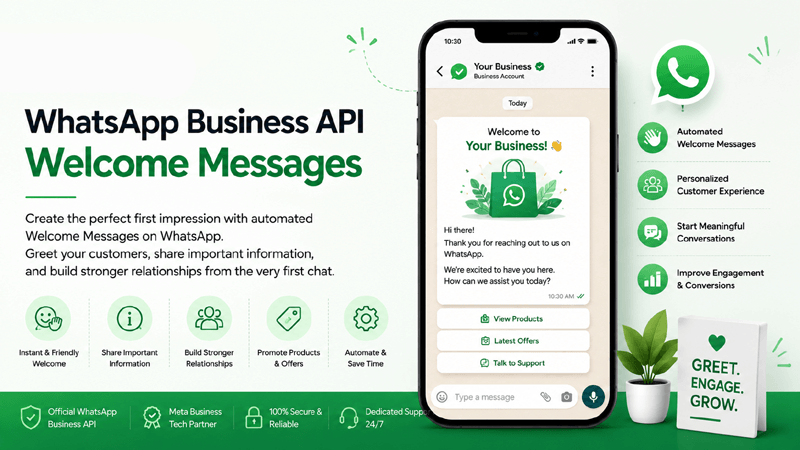
Quick Overview
Essential insights into mastering automated first touchpoints on WhatsApp.
What is a WhatsApp Business API Welcome Message?
A WhatsApp Business API Welcome Message is an automated response triggered the moment a customer initiates a conversation with your business on WhatsApp. Unlike standard business apps, the API allows enterprises to program sophisticated, dynamic greetings that can include personalized data, interactive buttons, and seamless handoffs to a Shared Team Inbox. It acts as your digital receptionist, working 24/7 to acknowledge incoming queries instantly.
Why Automated Welcome Messages are Important
In today's fast-paced digital economy, customers expect instantaneous responses. When a user sends a WhatsApp message and receives silence, their interest dwindles rapidly. Automated welcome messages eliminate this friction by instantly acknowledging the user's intent. By utilizing officially approved Templates, businesses ensure compliance while delivering a branded, professional experience that sets expectations for response times and next steps.
Improving Customer Engagement and First Impressions
Your WhatsApp first message is often the start of a critical customer relationship. A well-crafted greeting can do more than say "Hello." It can offer immediate value by providing a menu of options via quick reply buttons, sharing a link to an FAQ, or qualifying leads before routing them to the right department. This proactive approach to WhatsApp customer onboarding dramatically improves early engagement metrics and sets a foundation of trust and reliability.
Why Welcome Messages Matter
Discover the strategic benefits of configuring immediate, automated enterprise greetings.
Instant Customer Engagement
Never leave a customer waiting. Immediate responses capture attention while the user is actively interested, preventing them from seeking solutions from competitors.
Professional First Impression
A structured, well-written WhatsApp greeting establishes brand authority. It shows you operate an organized, customer-centric enterprise that values communication.
Faster Response Times
Reduce your average First Response Time (FRT) to zero seconds. Automated welcomes handle the initial interaction, giving your human agents breathing room.
Higher Customer Satisfaction
When customers feel heard immediately, their overall satisfaction increases. Clear communication about when an agent will join the chat manages expectations perfectly.
Improved Onboarding
Use welcome messages to onboard new users. Share quick links, introductory videos, or step-by-step guides right inside the WhatsApp chat interface.
Better Conversion Rates
Keep the momentum going. By offering interactive buttons and immediate pathways to purchase or booking, you guide leads directly toward conversion.
Brand Trust and Loyalty
Consistency builds trust. Delivering reliable, on-brand messaging every time a customer reaches out proves your commitment to exceptional customer service.
Powerful Features for Welcome Automation
Everything you need to build advanced, highly engaging conversational flows.
Instant Welcome Messages
Trigger zero-latency replies the second a prospect sends their first message, ensuring a seamless start to their journey.
Personalized Greetings
Fetch user names and prior interaction history to craft highly personalized "Hello [Name]" experiences automatically.
Dynamic Variables
Use dynamic fields to insert localized greetings, unique ticket IDs, or specific product references directly into the chat.
Rich Media Support
Enhance greetings with PDFs, introductory videos, or product images stored directly in your Media Library.
Quick Reply Buttons
Give users one-tap options like "Speak to Sales," "Support," or "View Catalog" to accelerate their journey instantly.
Flow Builder Automation
Design complex, multi-step welcome journeys using our drag-and-drop Flow Builder without writing any code.
CRM Integration
Automatically log new leads and conversations directly into your existing software via powerful CRM Integrations.
Shared Team Inbox
Route conversations from the automated bot seamlessly to human agents waiting in the Shared Team Inbox.
Contact Segmentation
Automatically group incoming leads into distinct Contact Lists based on the options they select in the welcome menu.
Multi-language Messages
Detect user region codes and send welcome messages in their native language for a hyper-localized experience.
Campaign Analytics
Track read receipts, button click-through rates, and engagement drop-offs with detailed Analytics Reports.
24/7 Automated Responses
Maintain constant business availability. Handle night-time and holiday queries efficiently with automated off-hours greetings.
How Welcome Message Automation Works
A clear breakdown of your automated messaging pipeline in action.
Customer Starts Conversation
A user clicks a click-to-WhatsApp ad, scans a QR code, or saves your number and sends their very first message to your business account.
Trigger Welcome Workflow
The QuickMessage engine detects the new inbound message instantly and triggers the predefined Flow Builder sequence for new users.
Personalize the Message
Our platform injects dynamic variables, fetching the user's WhatsApp name or querying integrated CRM data to customize the greeting text.
Send Automated Welcome Message
Within milliseconds, the finalized, highly professional welcome message is dispatched securely via the Official WhatsApp Business API.
Guide Customer with Buttons or Menu
The message displays interactive elements like quick reply buttons, list menus, or product catalogs, allowing the user to select their desired path easily.
Continue Sales or Support Journey
Based on the user's selection, the automated flow proceeds to qualify the lead, complete a transaction, or hand over the chat to a live support agent.
Core Benefits for Businesses and Customers
Driving operational velocity while delivering exceptional end-user satisfaction.
Business Benefits
- Scale Operations Effortlessly: Handle 10 or 10,000 inbound messages simultaneously without hiring additional support staff.
- Qualify Leads Automatically: Use interactive welcome menus to segment high-intent buyers from general inquiries before human intervention.
- Ensure Brand Consistency: Deliver a perfectly crafted, typo-free, and legally compliant greeting message every single time.
- Reduce Agent Burnout: Deflect basic repetitive queries so your support team can focus on complex, high-value conversations.
Customer Benefits
- Zero Wait Times: Instant gratification and immediate acknowledgment that their inquiry has been received and is being processed.
- Self-Service Empowerment: Ability to resolve simple issues, browse catalogs, or book appointments instantly via intuitive chat menus.
- Clear Expectations: Transparent communication regarding business hours or when a human agent will be available to assist them further.
- Frictionless Experience: No need to download extra apps, navigate complex websites, or wait on hold during phone calls. Everything happens on WhatsApp.
Industry Use Cases for WhatsApp Welcome Flows
See how diverse sectors deploy automated greetings to elevate user interactions.
Ecommerce
Welcome shoppers with active discount codes, order tracking menus, and direct links to latest catalogs.
Retail
Greet in-store visitors online with loyalty program sign-ups and nearby store locators via WhatsApp.
Healthcare
Provide patients with instant clinic hours, automated appointment booking menus, and secure document upload paths.
Education
Welcome prospective students with automated course brochures, campus tour booking, and fee structure details.
Finance
Provide secure greetings directing users to check balances, apply for loans, or speak to verified advisors safely.
Insurance
Guide users immediately into claim processing flows or instant quote calculators upon their first message.
Real Estate
Automate property viewing schedules, share neighborhood brochures, and instantly qualify buyer budgets.
Travel
Greet travelers with automated flight status checks, itinerary downloads, and visa requirement guides.
Hospitality
Welcome guests pre-arrival with digital check-in links, room upgrade options, and concierge service menus.
Restaurants
Send an instant interactive digital menu, allow users to book tables, or place delivery orders right away.
Automotive
Help prospects book test drives, download car specifications, and schedule service center appointments.
SaaS Companies
Welcome new users with software setup guides, documentation links, and automated tier-1 support routing.
Why Choose QuickMessage
Enterprise infrastructure designed for reliability, scalability, and robust security.
Frequently Asked Questions
Expert insights into setting up, optimizing, and scaling your automated WhatsApp greetings.
What is a WhatsApp Business API Welcome Message?
A WhatsApp Business API Welcome Message is a programmed, automated response sent instantly when a user initiates a chat with your verified business number. Unlike the standard free WhatsApp Business app where basic auto-replies are restricted, the API allows enterprises to create complex, dynamic welcome messages. This can include personalized data, rich media, and interactive buttons that act as the first crucial touchpoint in WhatsApp customer onboarding, ensuring a professional, zero-wait-time response for every incoming query.
How do automated welcome messages improve customer engagement?
Automated welcome messages drastically improve customer engagement by eliminating the initial response delay, which is a major factor in customer churn. When a customer sends a WhatsApp First Message, an immediate response validates their inquiry and maintains their interest. By utilizing interactive buttons or list menus within the greeting, you guide the customer directly to the information or department they need, converting passive inquiries into active dialogues and boosting overall conversion rates.
Can I personalize the WhatsApp Greeting Messages for new users?
Yes, absolute personalization is a core feature of the WhatsApp Business API. When integrating with your CRM through QuickMessage, the system can automatically pull dynamic variables—like the customer’s name, their recent order status, or location data—and inject it directly into the greeting. For example, instead of a generic "Hello," the system can send "Hi John, welcome back! Are you reaching out regarding order #1234?" This level of personalization significantly enhances brand trust and the customer experience.
Do I need coding skills to set up Welcome Message Automation?
No coding skills are required when you use a platform like QuickMessage. As an Official WhatsApp Business Solution Provider, we offer a highly intuitive, visual Flow Builder. This drag-and-drop interface allows business teams, marketers, and customer support managers to map out complex automated welcome sequences, assign quick reply buttons, and define routing logic without writing a single line of code. It simplifies enterprise-grade WhatsApp automation for teams of all technical backgrounds.
How does CRM integration enhance the Welcome Message for New Customers?
CRM integration is transformative for your welcome flows. When a new prospect messages you on WhatsApp, the API can query your CRM through a custom integration. If the user is new, the CRM creates a fresh lead profile instantly while the welcome message guides them through a qualification funnel. If they are an existing customer, the CRM recognizes their phone number, enabling the welcome message to be tailored to their specific account status, past purchases, or open support tickets.
Are WhatsApp Welcome Messages strictly text-based?
Not at all. With the Official WhatsApp Business API, your greeting messages can be highly interactive and media-rich. You can include high-resolution images, introductory videos, PDF documents (such as product brochures or menus), and interactive elements like Quick Reply buttons and List Messages. Utilizing our Media Library ensures your assets are securely hosted and instantly delivered, making your first impression visually engaging rather than just a wall of plain text.
Is setting up automated greetings compliant with Meta’s policies?
Yes, configuring an automated WhatsApp Business Greeting is fully compliant with Meta’s official guidelines, provided you adhere to standard commerce policies. Since a welcome message is triggered by a user-initiated conversation, your reply is a service message sent inside the 24-hour customer service window that the user opened. QuickMessage, as a Meta Tech Partner, ensures your automated flows are inherently structured to remain compliant with WhatsApp’s evolving rules.
How do welcome messages transition to human agents?
A seamless human handoff is a critical component of WhatsApp Business Messaging. In QuickMessage, you can configure your welcome automation to offer a "Talk to a Human" quick reply button. When clicked, the automated bot stops messaging, and the chat is instantly routed to your Shared Team Inbox. The human agent receives the entire chat history and context, allowing them to pick up the conversation seamlessly without asking the customer to repeat themselves.
Can I set different welcome messages for outside business hours?
Yes, time-based routing is highly recommended for optimal WhatsApp customer engagement. Through our Flow Builder, you can set conditions based on your company's working hours. During the day, the welcome message might offer immediate live agent support. Outside business hours or on holidays, the system automatically switches to an "Away" welcome message, informing the customer when you will be back online while offering self-serve options or FAQ links in the meantime.
Do automated welcome messages cost money on the API?
Pricing for the WhatsApp Business API is based on conversational sessions rather than per-message fees. When a customer messages you and triggers your automated welcome message, it initiates a "User-Initiated Conversation" which lasts for 24 hours. The cost for this 24-hour session depends on Meta's regional pricing. However, the immense value gained in lead generation, customer support efficiency, and automated sales qualification far outweighs the nominal session cost.
How can I track the success of my welcome automations?
Comprehensive tracking is available through our Analytics Reports dashboard. You can monitor exactly how many times your welcome message was triggered, the delivery and read rates, and most importantly, the click-through rates on your interactive buttons. This data allows you to A/B test different greeting variations, analyze which menu options are most popular, and continuously optimize your WhatsApp onboarding flow for maximum business growth and lead conversion.
Can welcome messages be sent in multiple languages?
Absolutely. For global enterprises, sending a welcome message in the customer's native language is a massive trust-builder. By leveraging variables or user region codes within QuickMessage, your flow can automatically detect the user's country prefix and trigger the corresponding language template. Alternatively, your initial generic welcome message can include buttons asking the user to select their preferred language before proceeding with the rest of the automated onboarding journey.
How does a welcome message assist in building Contact Lists?
Automated welcome messages are a powerful tool for lead segmentation. When a user interacts with your greeting by selecting a specific option (e.g., "I'm looking for Shoes" vs. "I'm looking for Accessories"), QuickMessage automatically tags that user based on their selection. This data seamlessly populates targeted Contact Lists within the platform. You can then use these refined lists for highly relevant, outbound Campaign Management later on, driving better ROI.
What are the best practices for writing a WhatsApp Greeting?
The most effective WhatsApp Greeting Messages are concise, branded, and actionable. Start with a warm, personalized greeting. Clearly state your business name to confirm they reached the right place. Set expectations on response times if transferring to an agent. Finally, always include a call-to-action—usually via Quick Reply buttons—to guide the user to their next step. Avoid long, overwhelming paragraphs; keep the tone conversational, professional, and optimized for mobile reading.
Why should I use QuickMessage instead of building my own integration?
Building and maintaining a direct integration with the WhatsApp API is resource-intensive and requires constant developer updates to comply with Meta's changing policies. QuickMessage, as an Official Meta Tech Partner, provides a ready-to-use, scalable platform. We offer enterprise features like a Shared Team Inbox, Flow Builder, and CRM integrations right out of the box. You get immediate access to powerful tools and dedicated support, allowing you to focus purely on customer engagement and business growth.
Ready to Transform Your Customer Onboarding?
Join hundreds of enterprise teams leveraging QuickMessage to automate their WhatsApp Business API Welcome Messages, streamline support, and skyrocket sales conversions.


